

RouteGuardian
And we know that encouraging them to be active will give them a healthier life as an adult.But, as parents and guardians, we often face another concern - that if we allow our young people that level of freedom, we might be exposing them to other risks.
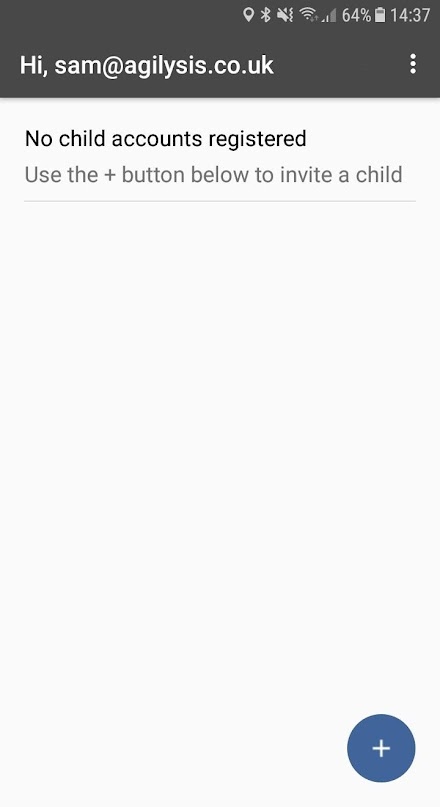
So, we have developed a pioneering new app that helps families to plan travel together - providing reassurance for parents/guardians and young people alike.An app for you ...RouteGuardian allows you to connect to a paired mobile phone that has the companion RouteGuard app installed.
Parents and guardians using RouteGuardian can see the location of their RouteGuard users at any time, in real time, for peace of mind.
You can set up zones along roads and around destinations to create an alert whenever a zone is entered or exited so you know when the connected young person arrives and departs safely....
and an app for themRouteGuard runs automatically when your young persons mobile phone is on.
Whenever they are moving it sends their location details, using GPS, to Route Guardian every 60 seconds.
So, they know someone responsible has their back wherever they are and they can get around safely.
When they stop it stops updating their location to conserve their phones battery life.
About RouteGuardian
- Package name (App ID)
- com.agilysis.routeguardguardian2
- Available on
- Google Play
- Price
- $3.39
- Developer
- Agilysis (UK)
Looking for the RouteGuardian APK?
The safest way to get RouteGuardian (com.agilysis.routeguardguardian2) on your Android device is to install it directly from Google Play — you'll always get the latest official version, automatic updates, and no risk of modified or infected APK files from third-party sites.

Social Features
Connect and share with friends and the community.
Fitness Tracking
Track your workouts and monitor your health metrics.
Travel Features
Plan and manage your travels with ease.
See RouteGuardian in Action


Frequently Asked Questions
Is RouteGuardian free?
RouteGuardian is a paid app — it costs $3.39 on Google Play. You pay once through your Google account and can install it on your Android devices.
How do I install RouteGuardian on Android?
Open Google Play on your Android phone or tablet, search for RouteGuardian by Agilysis (UK) or tap the Google Play button on this page, then tap Install. The app downloads and installs automatically.
What is com.agilysis.routeguardguardian2?
com.agilysis.routeguardguardian2 is the App ID (package name) of RouteGuardian on Google Play. Every Android app has a unique package name, and it is the safest way to verify you are installing the official app.
Is RouteGuardian safe to download?
Installing RouteGuardian from Google Play is the safest option: you get the official version published by Agilysis (UK), verified by Google Play Protect, with automatic updates. Avoid APK files from unofficial third-party sites.

Get RouteGuardian Today
RouteGuardian for Android — $3.39 on Google Play.
Compatible with Android phones and tablets — available on Google Play.
Ask AI about this app
Get instant answers about features, tips and more from popular AI assistants.